
Searching for a Warrant in York County
The county Clerk and Magistrate pages link to the South Carolina Judicial Department's York County Public Index. Accept its disclaimer, choose the York endpoint, then search with a party name or case number. The index can show docket events and available documents. It does not gather every municipal, magistrate, Family Court, or newly issued warrant into one active list.
Use the name as printed on the summons and keep the case or citation number close. A common name can match more than one file. The Sheriff says an unserved warrant may not yet have reached its office, so a blank agency response should send you back to the court that issued it.
- Search the Public Index by case number or party name and open the case result.
- Use Actions and a page icon to view any document offered for public access.
- Call the municipal or township magistrate court printed on the citation.
- Call the Sheriff's Warrants Unit for a county criminal warrant, or request a served copy through the PIO or Clerk.
- If a posted result does not answer your question, ask the issuing court or a lawyer to confirm the next step.
York County Warrant Search Path
The clerk's instructions describe a sequence: select a case number, open the Actions tab, then use the document or page icon when one is available. The search supports case number and party name; the Clerk also lists a tax map number, which is mainly a property or civil search field and is not a warrant identifier.
Do not treat a docket match as proof that a warrant remains active. Look for entries such as warrant, FTA, bond, served, recalled, disposed, or a future setting, then ask the court what that entry means today. Public Index material may be incomplete or stale.
Open the York County Public Index after reviewing its disclaimer.
York County Warrant Search Fields
These are the fields York County's Clerk documents for the Public Index. Only name and case number directly support a warrant-related case search; the tax-map option serves a different record path. The screenshot below shows the public search interface, not a person's result.
View the Judicial Public Index search screen before entering a query. Its search choices do not include an “active warrant” filter.
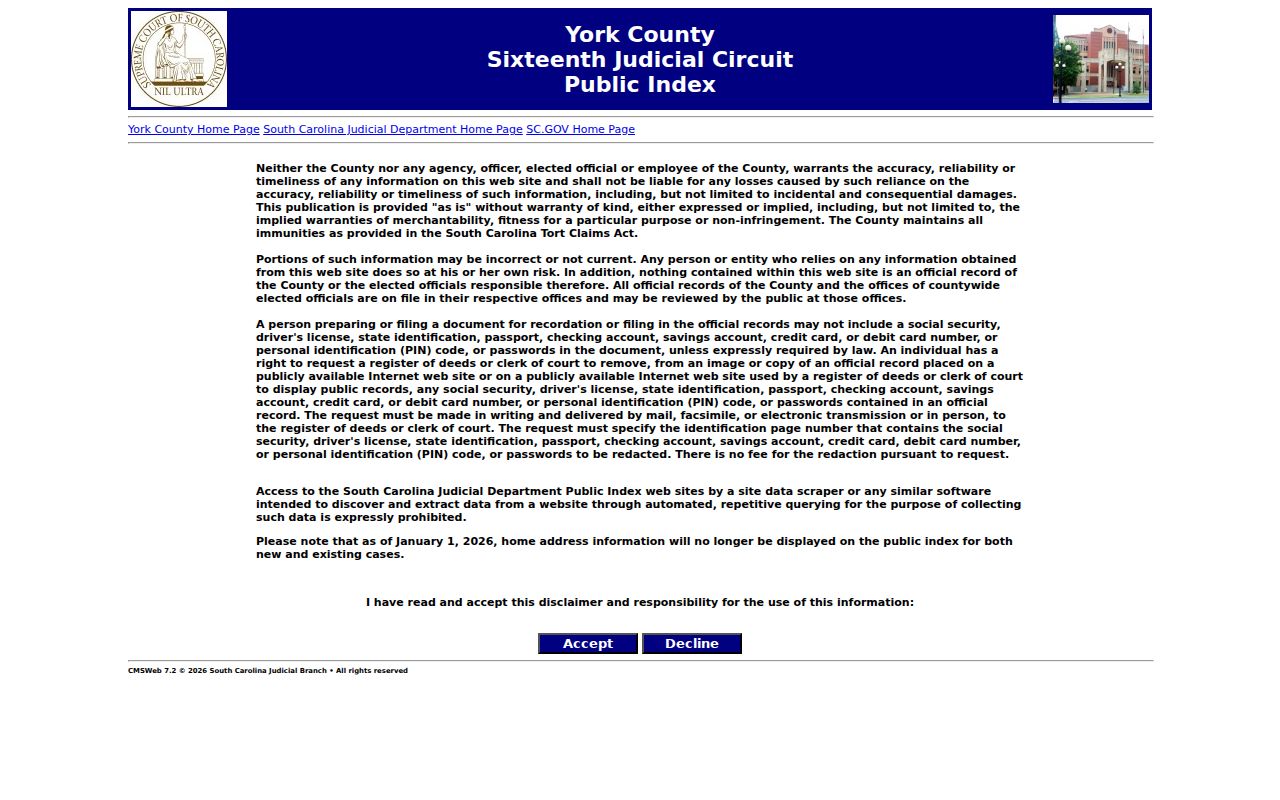
The interface is a case lookup. A clerk can explain which docket entry or document applies.
| Field Label | Type | Required | Notes |
|---|---|---|---|
| Party Name | Text | One search key | Use the legal spelling shown on the court paper; confirm similar names with the clerk. |
| Case Number | Text | One search key | Best when copied from a summons, ticket, letter, or prior court record. |
| Tax Map Number | Text | Optional | Listed in the Clerk's general instructions; it is not a warrant-search field. |
| Search tab | Action | After entry | Starts the query for the selected York County case index. |
| Actions and page icon | Case tools | After result | Opens docket actions and a public document when one is available. |
York County Warrant Search Field Limits
A party name points to a person named in a case. A case number is usually the clearest route when you have it. The Public Index instructions do not promise partial-name behavior or an automatic date-of-birth match, so do not assume a blank result means the spelling or court is wrong.
The tax map number is not part of a warrant schema. It appears because the Public Index also serves civil and property-related searches. For traffic, use the citation number and the court printed on the ticket; Rock Hill's separate portal has its own citation, name, license, vehicle, and business search choices.
Note: The Public Index requires acceptance of its use disclaimer before a search begins.
York County Warrant Search Results
A Public Index result is a case or docket view, not a standard warrant card. Depending on the court and what is public, it may lead to a charge, citation, issuing court, FTA entry, bond action, service return, recall, or next setting. The result may not display a live status field or every underlying document.
| Case identifier | Use the number attached to the docket. number from court paper |
|---|---|
| Charge or citation | May identify the alleged offense, traffic ticket, or city ordinance matter. |
| Issuing court | Shows which clerk can explain the docket and any warrant action. |
| Bond or FTA entry | May show a court action; ask the court for current release terms. |
| Service or recall | Could appear as a docket note, but a separate agency record may be needed. |
York County Warrant Hits Need Confirmation
The Judicial Branch says online information can be wrong or not current and that the official record remains with the county office. A docket entry can be useful without answering whether an order is now active, recalled, or served. The issuing clerk can check the court record and explain what a docket note means.
Do not use a name match alone to act on a case. Check the case number and court, then ask the clerk to confirm the status for your own matter or a relative's. A recent warrant, restricted file, or matter held by a different court may not surface in the same search.
York County Warrant Offices
General Sessions criminal files route to the York County Clerk of Court at Moss Justice Center. Magistrate matters are split among Clover, Hickory Grove, Fort Mill, Rock Hill, and York/Bethesda. City tickets belong with the named municipal court. The Sheriff's Warrants Unit confirms county service questions, while the Civil Process line handles service and return questions.
No common public search in South Carolina pulls live warrant status across all courts. SLED CATCH is a criminal-history check, not a live warrant search. For an outside-county or federal matter, contact the controlling court or agency rather than treating a York County result as statewide clearance.
York County Warrant Clerk Requests
For county criminal service questions, call the Sheriff's Warrants Unit at 803-628-3059. The Civil Process and Warrants Unit lists 803-818-6656 for service and return matters. The Clerk of Court's General Sessions number is 803-628-3036. A served arrest-warrant copy may be requested from the Sheriff's PIO or Clerk, subject to exemptions.
For records not posted online, the Sheriff accepts South Carolina FOIA requests through its General Counsel. A 25% deposit of estimated search, retrieval, redaction, and copy costs may be required before work begins; exact current charges were not located. Narrow the request with a date range and case or warrant number.
The Sheriff's FAQ describes the arrest-warrant-copy path and links to request forms.
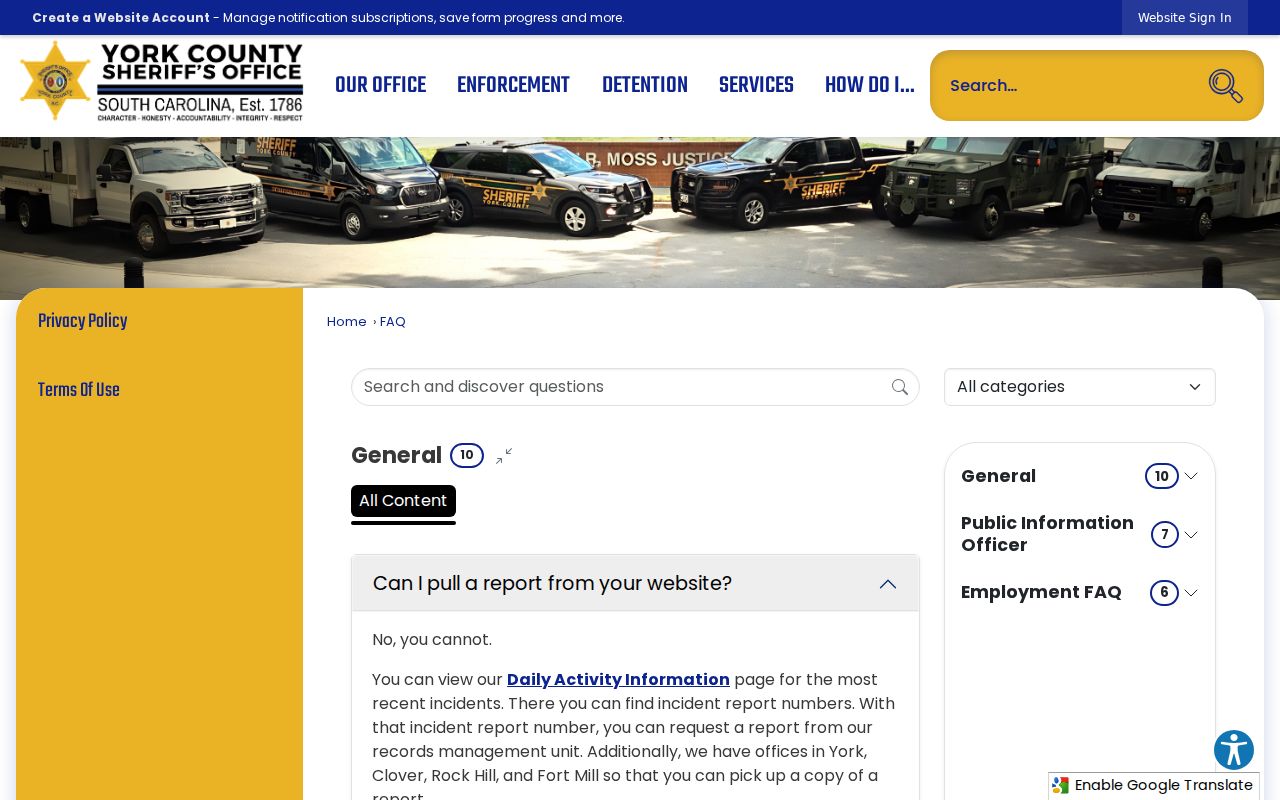
The screenshot records general office guidance; ask what can be released in a specific case.
The Sheriff's Civil Process and Warrants Unit page gives its address and service role.
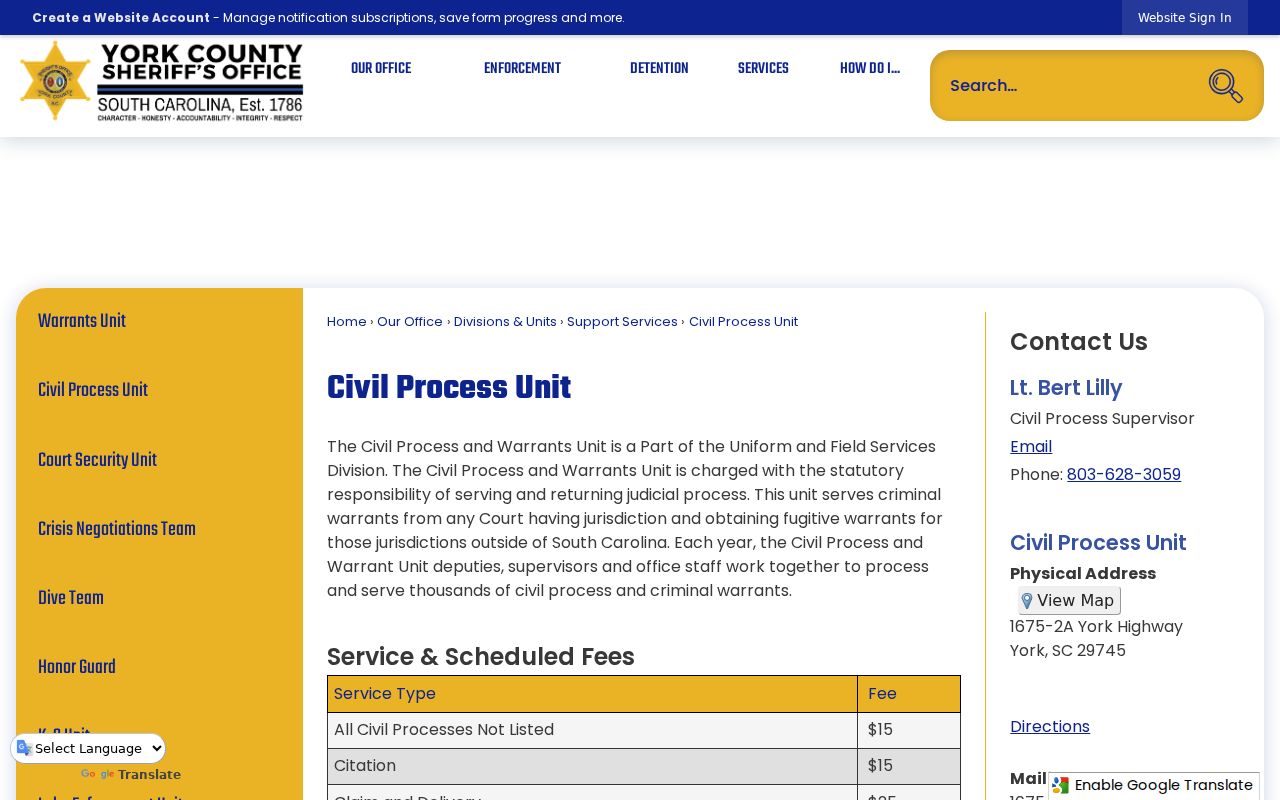
Use Civil Process for service or return questions and the issuing clerk for a court's status or recall.
York County Warrant Access Rules
South Carolina FOIA permits access to public records but allows exemptions. Juvenile, sealed, privileged, and active-investigation material can be withheld or redacted. The Public Index also limits home-address display beginning January 1, 2026. Online access therefore shows only what the law and court system make available.
Key Rules:
Sealed or investigative records may be withheld while disclosure could affect a case or protected interest.
South Carolina Code Title 30, Chapter 4 allows access subject to statutory exemptions and reasonable fees.
A missing Public Index entry or Top 10 result is not proof that no warrant exists; call the issuing court.
York County Warrant Search Privacy in 2026
Starting January 1, 2026, the South Carolina Judicial Public Index stopped displaying home-address information for new and existing cases. A public docket may therefore omit a field that older descriptions say was visible. The change is about the online display; it does not alter which court holds the official file.
The Sheriff's FOIA route is separate from the case search and remains subject to exemptions, redactions, and estimated costs. Do not try to recover removed address fields by scraping or combining unrelated records. If a record is needed for a legal matter, ask the court or counsel which record can be requested lawfully.
Read South Carolina FOIA for the statutory access and exemption framework.